
// PROS
- Free tier is genuinely usable for evaluation with 10 generations per day
- Basic at $8/month delivers near-instant queue speed vs 1–5 min waits
- Private generations on paid tiers protect commercial and client work
- Commercial use rights granted on every tier, including free
- Per-image cost on Basic works out to roughly $0.02
- Plus offers 1,000 credits and highest priority for high-volume creators
// CONS
- Free tier generations are public in the community gallery
- Free queue waits compound badly when iterating on prompts
- Basic is single-seat, forcing small teams up to Plus
- Free tier credits reset daily and don't roll over
- Canvas features locked behind paid plans
Here’s the short version: if you’re generating more than a handful of images per week, $8/month is worth it. The free tier is genuinely good for evaluation, but the moment you start doing real work in Ideogram, the slow queue alone will drive you to upgrade.
The longer answer depends on what “real work” means for you. Let me break it down.
What You Actually Get on Each Tier
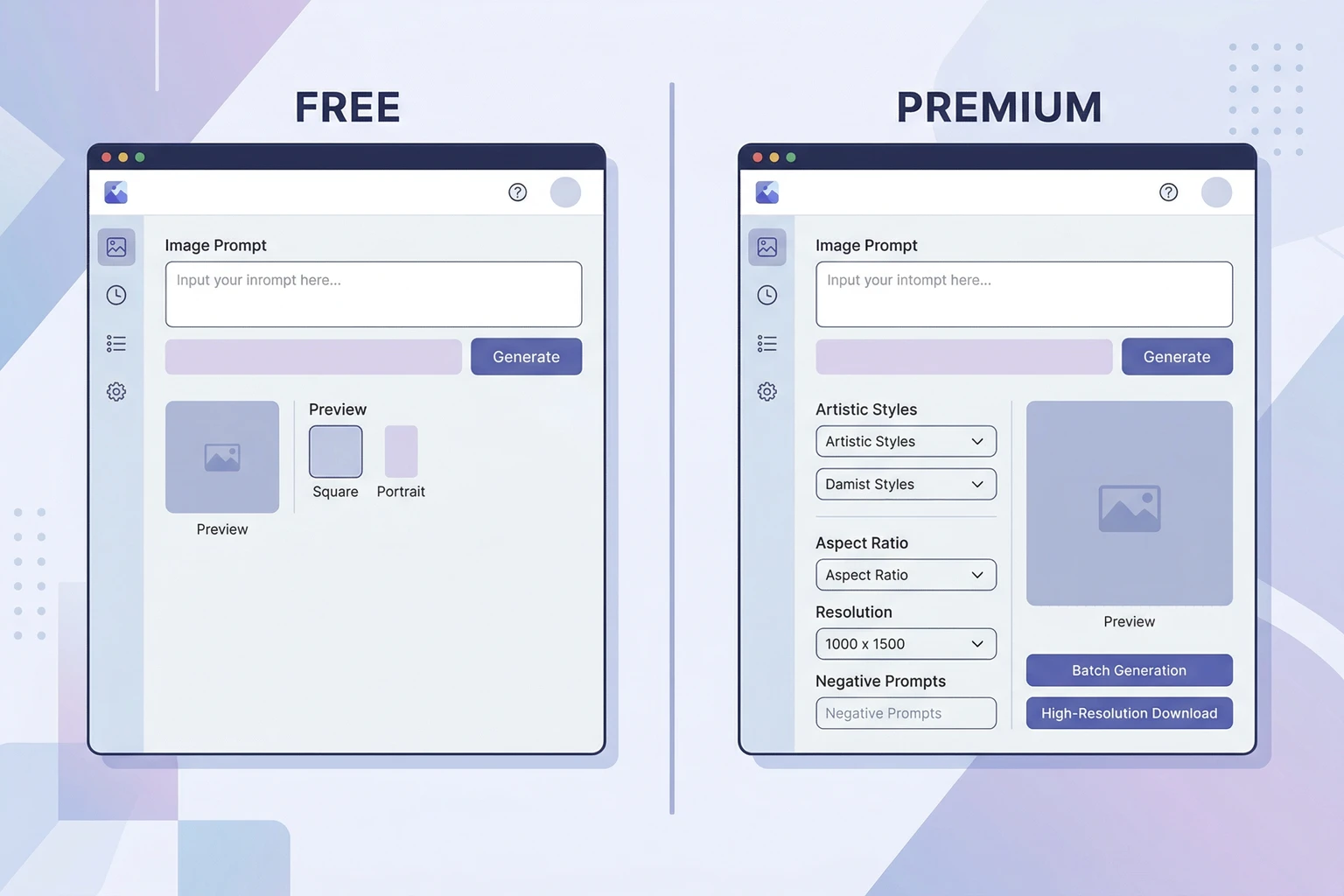
Before getting into who-should-upgrade territory, it helps to see the tiers side by side.
| Feature | Free | Basic ($8/mo) | Plus ($20/mo) |
|---|---|---|---|
| Monthly credits | 10/day (slow) | 400 priority | 1,000 priority |
| Queue speed | Slow (1–5 min) | Fast (near-instant) | Fastest |
| Private generations | No | Yes | Yes |
| Commercial use | Yes | Yes | Yes |
| Resolution options | Standard | Standard + higher | Full range |
| Concurrent generations | 1 | Multiple | Multiple |
| Canvas access | Limited | Full | Full |
The free tier’s daily reset is worth noting. You don’t get 300 credits a month — you get 10 per day, and unused ones don’t roll over. So if you only use Ideogram twice a week, you’re still limited to 10 per session.
The Free Tier: Genuinely Useful, With Real Walls
Ideogram’s free plan is more generous than most AI tools. Ten generations a day is enough to test the product properly, run experiments on a personal project, or generate a few images for occasional use.
What it’s not enough for: any kind of production workflow.
The slow queue is the biggest friction point. When Ideogram’s servers are busy — which is basically any time during US business hours — free tier users wait. Sometimes 1-2 minutes. Sometimes longer. If you’re iterating on a prompt — trying variations, adjusting the composition — that wait compounds fast. What would take 10 minutes on a paid plan takes an hour on free.
The public gallery issue matters too. Every image you generate on the free tier gets posted to Ideogram’s community feed. If you’re using it for client work, brand assets, product mockups, or anything proprietary — you need to know your work is public before you start. That’s not a dealbreaker for personal use. It absolutely is for commercial work.
The Case for Basic at $8/Month
For most independent creators and small business owners, Basic is the right tier. Full stop.
Four hundred priority credits a month sounds like a lot until you start actually using Ideogram. For a solo content creator doing social media graphics and YouTube thumbnails, I’d estimate 200-400 credits per month covers normal production volume. You’ll get close to the ceiling but probably won’t hit it.
What changes immediately when you upgrade:
- Queue speed. This is the biggest quality-of-life improvement. Generations go from “get up and make coffee” to near-instant. Iteration becomes practical.
- Private generations. Your work stays yours. Doesn’t appear in the gallery.
- Canvas features. The full Ideogram Canvas interface, where you can edit and combine generated images in a layout context, is unlocked on paid plans.
At $8/month, you’re paying roughly $0.02 per generation at 400 credits. That’s cheaper than stock photography for custom images. It’s cheaper than most AI image tools at equivalent volume. If you’re generating images for commercial use at all — even occasional social posts — the math favors upgrading.
Who Actually Needs Plus at $20/Month
Plus is for volume. If you’re regularly generating 400+ images per month, you need the credit headroom. If speed matters because you’re running real-time client sessions or doing rapid iteration on commercial briefs, the highest-priority queue access makes a difference.
The use cases that push people to Plus:
- Agencies doing social content at scale — multiple clients, multiple weekly deliverables, image volumes that eat 400 credits in the first two weeks
- YouTube/TikTok creators posting daily or several times per week — thumbnails alone can burn through Basic’s credits fast if you’re doing YouTube thumbnails at any volume
- Small teams where multiple people need to generate — Basic is one-seat, so if your designer and your marketing manager both need access, you’re looking at Plus for the headroom
For individual freelancers and most small business owners, Basic is sufficient. Plus is about volume and speed, not about unlocking features that Basic doesn’t have.
Use Case Matrix
Here’s where different user types land:
| User Type | Recommendation | Why |
|---|---|---|
| Hobbyist / personal projects | Free | 10/day is plenty; queue time is fine |
| Blogger / occasional social posts | Basic ($8/mo) | Private generations + queue speed worth it |
| Solo content creator (regular posting) | Basic ($8/mo) | 400 credits covers most workflows |
| Small business owner (marketing) | Basic ($8/mo) | ROI is clear at $8 for commercial-grade images |
| High-volume social creator / YouTuber | Plus ($20/mo) | Credit volume and speed justify the jump |
| Agency / multiple clients | Plus ($20/mo) | Volume demands it; per-image cost is still low |
| Enterprise / large team | Pro ($48/mo) | Team features and volume at scale |
The Verdict
Stay free if you’re still evaluating Ideogram or you’re only using it occasionally for personal projects. The 10-per-day limit and slow queue are annoying but manageable.
Upgrade to Basic at $8/month if you’re using Ideogram for anything commercial, anything client-facing, or anything you need to stay private. The queue speed improvement alone is worth the $8 on a bad day. The combination of speed + privacy + volume makes it a no-brainer for any regular user.
Jump to Plus at $20/month only if you’re consistently pushing against Basic’s 400-credit ceiling. Most solo creators and small businesses won’t get there.
If you haven’t tried Ideogram at all yet, start with the full Ideogram review to understand what you’re actually evaluating — it’s the best AI image generator for text-in-images by a wide margin, and that feature set is what makes the paid tiers worth it. Also worth comparing across the broader market before committing: see how it stacks up in our best AI image generators roundup.
Priya Sundaram covers AI platforms and SaaS tools for business users at TechSifted.