
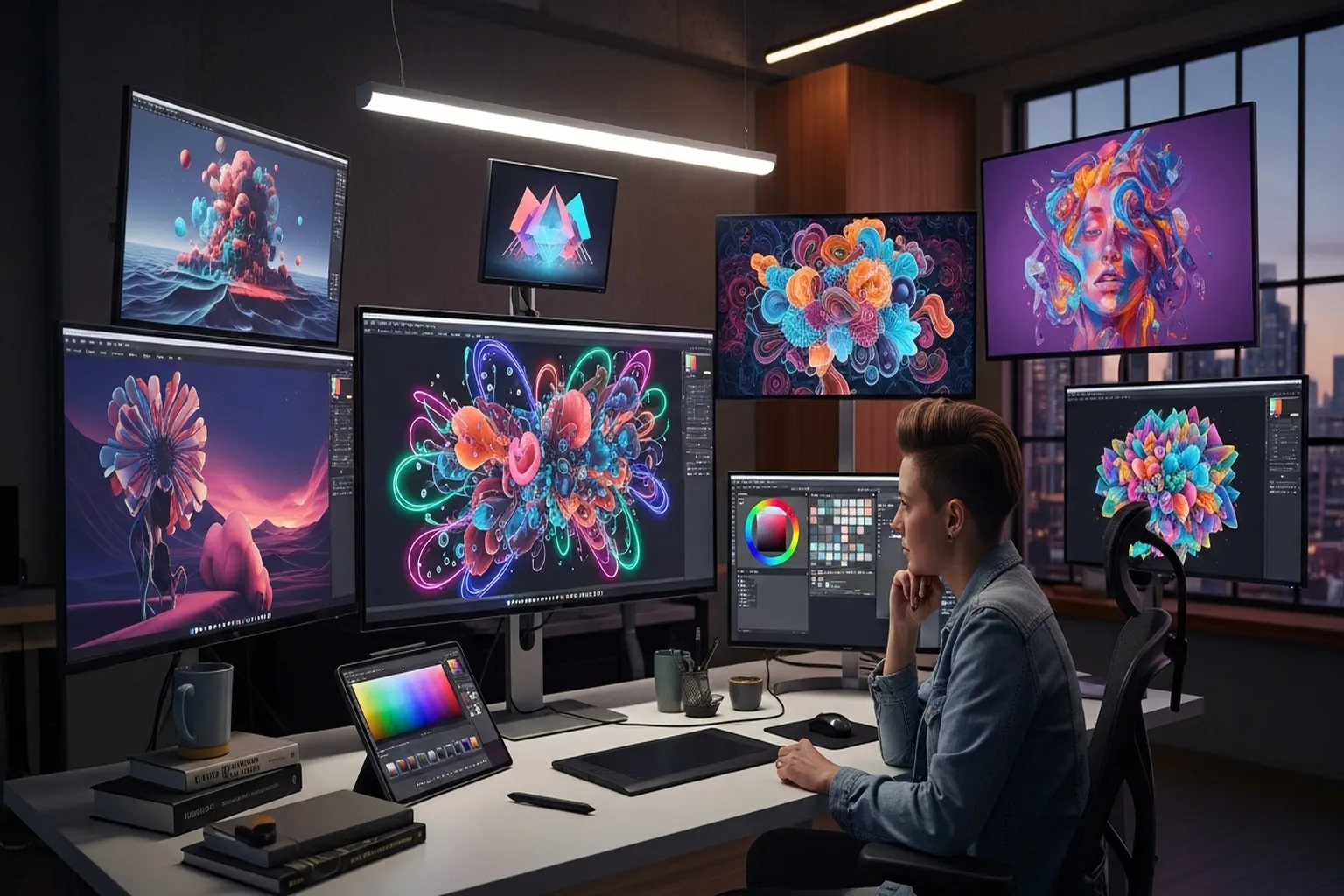
- Midjourney V8.2 is still the quality benchmark in 2026 -- the gap between it and free tools is real and immediately visible side by side
- DALL-E 3 is retired as of May 2026. ChatGPT Images is OpenAI's current built-in generator -- if you're already paying for ChatGPT Plus, you're getting a capable image generator at no additional cost
- Adobe's first-party Firefly models are trained on licensed Adobe Stock images and public-domain content where copyright has expired -- Adobe calls them commercially safe, but third-party models offered inside Firefly carry no such guarantee
- Ideogram 4.0 (released June 2026, open weight model) adds multilingual text and bounding box layout control. Ideogram 4.5, released since, is the platform's precision editing model for consistent multi-turn refinement without pixel drift
- Stable Diffusion's hosted commercial offering has moved from DreamStudio to Brand Studio -- the open-source self-hosted path is free under Stability's Community license for creators with less than $1M in annual revenue
The market for AI image generators has matured faster than most people expected. The quality gap between the leaders and the also-rans has narrowed enough that the decision is actually complicated.
Not “which one is best.” That part’s still pretty clear. Midjourney – now on V8.2 – still wins on image quality, and by enough margin that it’s not close.
The harder question is: which one is right for you. Your use case, your workflow, your tolerance for technical setup, your budget, and – if you’re doing this for clients or brands – your IP exposure. That’s what this guide is actually about.
September-October 2026 updates: OpenAI retired DALL-E 3 in May 2026. ChatGPT Images is now OpenAI’s current product – it’s built into ChatGPT on all plans. Midjourney shipped V8.1 (April 2026, HD 2K images) and then V8.2 (July 2026, focused on aesthetics and personalization). Ideogram 4.0 launched in June 2026 as an open weight model with multilingual text rendering and bounding box layout control; Ideogram 4.5, released since, is the platform’s precision editing model for multi-turn refinements. Stability AI’s commercial hosted offering has moved from DreamStudio to Brand Studio.
Quick Picks: Best Overall: Midjourney | Best for Integration: ChatGPT Images | Best for Professionals: Adobe Firefly
Quick Comparison
| Tool | Best For | Pricing | Free Tier | Affiliate Status |
|---|---|---|---|---|
| Midjourney | Overall quality | $10–$120/mo | No | None |
| ChatGPT Images | ChatGPT integration | Free / $20/mo | Limited | None |
| Adobe Firefly | Commercial, Creative Cloud | From $9.99/mo | Yes | None |
| Ideogram | Text in images, design | Free / $20-$60/mo | Yes | None |
| Stable Diffusion | Open source, control | Free | Yes (1,000 credits trial) | None |
| Canva AI | Non-designers | see Canva’s current pricing | Yes | None |
1. Midjourney – Best Overall
Price: $10/month (Basic) / $30/month (Standard) / $60/month (Pro) / $120/month (Mega) | midjourney.com Best for: Anyone who wants consistently high-quality images without compromising on aesthetics
Midjourney’s quality lead is not subtle. Run the same prompt through Midjourney V8.2 and any other tool on this list – the difference is immediately visible. Midjourney images have coherence, a sense that every element belongs in the frame. Lighting feels right. Proportions hold. The aesthetic intention in your prompt actually shows up in the output.
The gap shows up across content types: editorial-style blog images, product-adjacent concepts, illustrative art, photorealistic scenes. Where another tool produces something technically correct but compositionally inert, Midjourney consistently delivers images with visual personality.
V8.2, released July 24, 2026, is the current default. The release focused on aesthetics, image quality, and Personalization, and introduced the new Edit Model – which replaces the previous Omni Reference, Character Reference, and Retexture tools in a unified editing system. V8.2 images are described as “more creative, bold, sophisticated, and edgy.” The V8.1 update earlier (April 2026) brought HD images at 2K resolution without upscaling and made standard jobs 4-5x faster than earlier versions – both useful improvements if you’re in the tool regularly.
Personalization, the feature that learns your aesthetic taste over time based on how you rate images, is meaningfully better in V8.2, especially for profiles with a large library of rated images. If you use Midjourney heavily and have built up a Personalization profile, the V8.2 upgrade is immediately visible.
On interface: the web interface has improved considerably and now handles browsing, prompt history, organization, and basic editing well enough for most workflows. Discord is still available for those who prefer it.
The limitations are real. No free tier – $10/month minimum before you’ve seen a single result. No API for workflow integration. The IP licensing documentation is less explicit than Adobe’s, which matters for commercial work where a client’s legal team might ask questions. The learning curve for getting good results is steeper than conversational tools – vague prompts produce mediocre results.
None of that is a dealbreaker for most users. The Midjourney beginners guide covers the prompting fundamentals that move the needle. For technical issues – generation errors, queue limits – our Midjourney troubleshooting guide has the fixes. For a full feature breakdown, see our Midjourney review.
Pros:
- Highest consistent output quality in the category
- Wide aesthetic range across styles, from photorealistic to painterly
- V8.2 Edit Model replaces Omni Reference, Character Reference, and the Retexture tool
- HD 2K images available (V8.1+)
- Web interface now genuinely functional
- Deep community resources make the learning curve navigable
Cons:
- No free tier – you’re paying before you see results
- No API access for automated workflows
- IP licensing less explicit than Firefly for commercial use
- Prompt learning curve is real
- Companies earning >$1M/year must use Pro or Mega plan
Our take: If image quality is your primary criterion, this is still the answer. The $10/month entry point is accessible, and the quality ceiling is the highest on this list.
2. ChatGPT Images – Best for Integration
Price: Free (limited) / $20/month (ChatGPT Plus) | openai.com/chatgpt Best for: People already in the ChatGPT ecosystem who want capable image generation without a separate subscription
Note: DALL-E 3 was retired by OpenAI on May 12, 2026. ChatGPT Images is OpenAI’s current built-in image generator available on all ChatGPT plans.
ChatGPT’s image generation isn’t about the model. It’s about the workflow.
You’re describing a project in ChatGPT. You can ask it to generate an image. You can have ChatGPT help you refine the concept if you’re stuck, generate the image, then iterate in the same conversation – “make the background warmer,” “add more contrast,” “try a vertical version.” That workflow removes most of the friction that trips up people new to image generation. No prompt syntax. No parameter flags. Just conversation.
Prompt adherence is strong – if you describe a specific composition, it executes it more literally than Midjourney, which tends to interpret. Text in images is accurate. Photorealistic outputs are clean and compositionally sound. For users who need an image to match a precise description rather than look beautiful, this tool consistently delivers.
The free tier offers limited image generation and is better suited to casual evaluation than production work. (Source) ChatGPT Plus at $20/month gives you image generation alongside everything else in the platform – a reasonable trade if you use ChatGPT regularly anyway. (Source) Read our full DALL-E review for detailed output comparisons and use-case guidance.
Pros: Conversational iteration workflow, no prompt syntax to learn, strong prompt adherence, $20/month covers images plus everything in ChatGPT Cons: Quality ceiling below Midjourney on aesthetic/mood-driven work, limited image generation on free tier, limited stylistic control compared to dedicated tools
Our take: The right choice if you’re already a ChatGPT user. The integration justifies it on workflow alone. Not a compelling reason to pay $20/month for image generation by itself.
3. Adobe Firefly – Best for Professionals
Price: $9.99/mo (Firefly Standard, 2,000 credits/mo) / $19.99/mo (Firefly Pro, 4,000 credits/mo) | firefly.adobe.com Best for: Designers, agencies, and brands doing commercial work where IP documentation actually matters
Adobe Firefly’s pitch is simple and specific: Adobe builds its first-party Firefly models to be commercially safe.
Here’s the concrete reason that matters. Adobe’s first-party Firefly and Custom models are trained on licensed Adobe Stock images and public-domain content where copyright has expired. Adobe also offers access to third-party partner models inside Firefly, and says creators are responsible for determining their suitability for a given project, including whether they are appropriate for commercial use. (Source)
The entry Firefly Standard plan is $9.99/mo for 2,000 generative credits a month; Firefly Pro is $19.99/mo for 4,000. (Source)
Adobe also lists a Free Firefly plan at US$0.00/mo. (Source)
Beyond IP, the Creative Cloud integration is the other real argument. Extending backgrounds, replacing elements, quickly mocking up concepts – Firefly outputs land directly in tools designers already have open. That workflow integration is worth something the standalone generators can’t replicate.
Quality-wise: Firefly lags Midjourney noticeably. The outputs are clean and professional, but they have a stock-photo quality – technically correct, not especially inspired. For commercial work where “safe and presentable” matters more than “visually distinctive,” that’s fine. Read our Adobe Firefly review for full output comparisons and commercial use guidance.
Pros: First-party models trained on licensed Adobe Stock and public-domain content, deep Photoshop integration, clean professional outputs, $9.99/mo standalone is affordable entry Cons: Quality ceiling below Midjourney, conservative aesthetic limits creative range, 2,000 credits/mo can run out quickly on production workflows, third-party models inside Firefly carry no commercial-safety guarantee
Our take: The professional’s choice for client work. If copyright exposure matters to your project, this is the tool you should be using.
4. Ideogram – Best for Text in Images
Price: Free / $20/month (Plus) / $60/month (Pro) | ideogram.ai Best for: Any project that needs legible, accurately spelled text rendered inside an image – especially design work, posters, and marketing assets
AI-generated text has historically been a nightmare. Ask for an image with “Sale” on a banner and you get something that looks like letters if you squint. Ideogram gets it right – correctly spelled, legibly rendered, stylistically appropriate to the image context. Ideogram 4.0, released June 2026 as an open weight model, extends this further with multilingual text rendering and bounding box layout control: you can specify where each text element and object should appear in the composition before generation runs. For social media graphics, marketing assets, poster designs, or anything where text and image coexist, this isn’t a minor differentiator. It’s the entire decision.
The open weight release means the model weights are downloadable for developers and enterprises to fine-tune and run on their own hardware. But it signals where Ideogram is positioning itself: as a platform for serious design workflows, not just casual generation.
Ideogram has since released Ideogram 4.5, the platform’s current precision editing model. (Source) Where 4.0 is the generation and text-rendering model, 4.5 is built for editing: it reduces pixel drift, color shifts, and texture artifacts across successive edits, preserving details through multi-turn refinements. It also supports zoom editing, meaning you can edit into a high-resolution image without first downsizing it. For text-in-image generation, 4.0 is still the model. For iterative editing, 4.5 handles it.
Overall image quality is competitive with the ChatGPT Images tier: solid and reliable, not Midjourney-level on artistic quality. The free tier provides slow-queue access for evaluation. The Plus plan is $20/month ($15/month billed annually, $180/year). The Pro plan is $60/month ($42/month billed annually, $504/year). (Source) Read our Ideogram review for a detailed breakdown of image quality and use cases.
Pros: Ideogram 4.0 open weight model with multilingual text and bounding box layout, Ideogram 4.5 precision editing model, competitive overall quality, free tier for evaluation Cons: Not the quality leader for non-text editorial images
5. Stable Diffusion / Brand Studio – Best Free / Open Source
Price: Free (self-hosted) / Brand Studio (hosted) | stability.ai Best for: Technical users who want full control, customization, and unlimited local generation at zero ongoing cost
Stable Diffusion is in a different category from everything else here. It’s not just a different tool – it’s a different relationship with the technology.
Run it locally and it’s free under Stability’s Community license, which covers researchers, developers, small businesses, and creators with less than $1M in annual revenue. (Source) The models keep improving. You can fine-tune on your own dataset, run custom LoRA models, integrate into automated workflows, and control every parameter. The quality ceiling – with models like SDXL and Stable Diffusion 3.5 – is competitive with commercial tools for users who know what they’re doing.
On the commercial/hosted side: Stability AI has moved from DreamStudio to a rebranded product called Brand Studio. The Core tier includes 5,000 credits, with a free trial up to 1,000 credits. (Source) Brand Studio is positioned as a team-oriented creative product with model routing, end-to-end generation and editing tools, precision inpainting, and product insertion. If you were using DreamStudio previously, the hosted option has changed in both name and positioning.
The tradeoff on self-hosting is real: setup requires a capable GPU, Python environment knowledge, model management, and willingness to troubleshoot before you generate your first good image. The community around Stable Diffusion – through Automatic1111 and ComfyUI – is massive and deep, so resources exist for most problems. For non-technical users, skip this one. For developers, researchers, or technically inclined creators who want maximum control, the ceiling here is genuinely higher than any closed tool.
See our Stable Diffusion review for a setup walkthrough and output comparison.
Pros: Free to self-host under the Community license (under $1M in annual revenue), highest customization ceiling, fine-tuning and LoRA support, local processing means privacy, open source community Cons: Steep technical setup, GPU hardware required for self-hosted, Brand Studio (hosted) has limited free credits, DreamStudio users need to transition to Brand Studio
6. Canva AI – Best for Non-Designers
Price: see Canva’s current pricing | canva.com Best for: Non-designers who need images that plug directly into their existing Canva templates and workflows
Canva AI makes this list not for image quality – it’s not leading the field there – but for how well it fits into how non-designers actually work.
If you’re building a social post or presentation in Canva anyway, having image generation inside the same interface removes a whole step. Generate image, drop into template, adjust, done. No format converting, no app switching. The generated images look like Canva – clean, presentable, not particularly distinctive – and that’s exactly what most Canva users need.
Canva Pro (see Canva’s current pricing) goes beyond image generation with AI tools for resizing, translating, and removing backgrounds. For social media managers and small business owners without design backgrounds, Canva AI is probably the most practical all-in-one tool on this list. The free tier gives you limited access to test these features (up to 20 Standard or Premium AI uses), but Pro is the tier where AI tools become actually useful day-to-day.
The Canva AI guide walks through the image tools in detail. If you hit issues, the Canva AI troubleshooting guide covers the common ones. Our Canva AI review covers the full feature set and image quality comparison.
Pros: Integrated into Canva design workflow, zero learning curve for existing Canva users, strong free tier for evaluation Cons: Image quality trails dedicated generators, limited creative control, constrained by Canva’s ecosystem
Buyer’s Guide: How to Pick an AI Image Generator
Here’s how to think through the decision.
Start with your primary use case. These tools break into three clusters: maximum quality (Midjourney), commercial safety (Firefly), and workflow convenience (ChatGPT Images, Canva AI). Everything else fits somewhere in between. Know which axis matters most to you before spending anything.
Think about your technical tolerance. Midjourney and Stable Diffusion reward investment in learning. ChatGPT Images and Canva AI are designed for people who don’t want to think about prompts. If you like optimizing settings and reading documentation, the higher-control tools give you a real ceiling. If you want something that works immediately, go with the conversational approach.
Copyright matters more than most people realize. If you’re generating images for client deliverables, products you’re selling, or brand assets that will appear publicly – spend five minutes reading each tool’s terms of service.
Match volume to pricing. A few images per week is covered by free tiers or the $10-20/month plans. Daily image generation for content pipelines or design workflows changes the math. Run the numbers on your actual usage before committing to a plan.
Test free tiers before buying. ChatGPT Images, Ideogram, Canva AI, and Stable Diffusion (self-hosted) all offer something free. There’s no reason to pay for anything until you know whether the tool fits how you work. Even Midjourney’s $10/month first month is low enough to evaluate whether the quality difference justifies ongoing cost.
If you’re building out a full AI content workflow, the best AI writing tools roundup and the best AI video generators roundup cover the other pieces of the stack.
FAQ
What is the best AI image generator in 2026?
Midjourney for overall quality – the gap between it and the alternatives is real and visible on any side-by-side comparison. ChatGPT Images if you already have ChatGPT Plus and don’t want another subscription. Adobe Firefly if commercial licensing and IP protection are priorities.
Is Midjourney worth the subscription cost?
At $10/month, yes – if you use it with any regularity. The quality gap between Midjourney and free tools is genuinely visible, not a marginal upgrade. V8.2 is the current default, and the aesthetic quality and Personalization system are meaningfully better than earlier versions. Prompt quality still matters: a thoughtful Midjourney prompt produces dramatically better results than a vague one.
Which AI image generator is best for commercial use?
Adobe Firefly. Adobe describes its first-party Firefly models as commercially safe, trained on licensed Adobe Stock images and public-domain content where copyright has expired. For agencies, brands, or anyone whose clients’ legal teams might ask questions about AI image licensing, Firefly is the documented answer.
Can I use AI-generated images for free?
Yes. ChatGPT Images through ChatGPT’s free tier gives you limited generations. Ideogram has a slow-queue free tier. Canva AI’s free tier covers limited generation. Stable Diffusion is free to self-host under Stability’s Community license if you have less than $1M in annual revenue and the hardware to run it. The free tiers on most commercial tools hit real limits at production volume, but they’re enough to evaluate fit.
What’s the best AI image generator for beginners?
Canva AI or ChatGPT Images. Both respond to plain conversational English, require no prompt syntax knowledge, and live in environments most people already use. ChatGPT’s advantage is the ability to help you refine your idea in conversation. Canva AI’s advantage is that generated images land directly in your design workflow without an extra step.
Is DALL-E 3 still available?
No. OpenAI retired DALL-E 3 on May 12, 2026. The current OpenAI image generation product is ChatGPT Images, built into ChatGPT on all plans. You generate images the same way, using the same interface, but with the newer model.
Bottom Line
Midjourney V8.2 is still the best AI image generator in 2026. The quality is real, the $10/month entry point is accessible, and the community makes it learnable. If image quality matters to your work, start here.
Already using ChatGPT? ChatGPT Images is included in Plus – capable generation, no additional subscription, solid for content and social media needs. DALL-E 3 was retired in May 2026, but the ChatGPT image generation workflow you’re used to continues. Working in Creative Cloud on client projects? Adobe Firefly is the professional’s choice: tight workflow integration and first-party models Adobe describes as commercially safe. Need text in your images? Ideogram 4.0 – open weights, and now multilingual. Want free and maximum control? Stable Diffusion. Non-designer who lives in Canva? Canva AI.
Try Midjourney | Try ChatGPT Images | Try Adobe Firefly | Try Ideogram
Related reading: