
- Sprout Social is the best choice for marketing teams that need analytics they can actually present to stakeholders — and Trellis, their new AI agent (GA August 2026), is the most ambitious AI product launch in the category this year.
- Buffer AI is the best-value tool for solo creators and small teams: clean interface, honest pricing, and the AI assistant writes captions that don't sound like AI wrote them.
- Hootsuite has the widest platform coverage and the deepest enterprise feature set — but it's also the most expensive, and the interface shows its age.
- Later's visual content calendar is the best in the category for Instagram-heavy brands and creators who think in grids.
- Predis.ai dropped their Core plan from $32 to $19/month — already the best value for AI content generation, now it's an easy yes for solo creators who need real creative output fast.
- Metricool is the one to know if you run both organic and paid social: it's one of the few tools that combines organic scheduling and paid ad analytics in a single dashboard.
- Publishing volume and team size are the real decision factors here — the best tool for a solo freelancer is not the best tool for a 10-person content team.
August 2026 update: Pricing re-verified across all seven tools (added Metricool). Notable changes since April: Predis.ai cut their Core plan from $32 to $19/month — one of the bigger mid-year price drops in this category. Sprout Social added a new Essentials tier at $79/seat/month (annual), opening the door to smaller teams. Trellis, Sprout’s AI agent, reached general availability in August 2026 — worth knowing about. Publer rebranded their domain to publer.com (old publer.io redirects fine). All other pricing stable. Rankings unchanged — this is a pricing and feature refresh, not a product reassessment.
Social media management tools have been promising “AI-powered” features for two years now. Most of those features turned out to be glorified hashtag suggesters.
That’s changed in 2026. The gap between tools that have actually integrated AI into their workflows — caption generation, best-time-to-post prediction, sentiment analysis, content repurposing — and tools that just added an “AI” badge to their marketing page is now visible enough that it actually changes purchase decisions.
I’ve spent the past several weeks using these tools on real accounts, including a B2B SaaS client’s LinkedIn, a mid-size e-commerce brand’s Instagram and TikTok, and my own professional profiles. This isn’t a feature-comparison exercise. It’s a usability and outcomes evaluation.
Here’s what actually works.
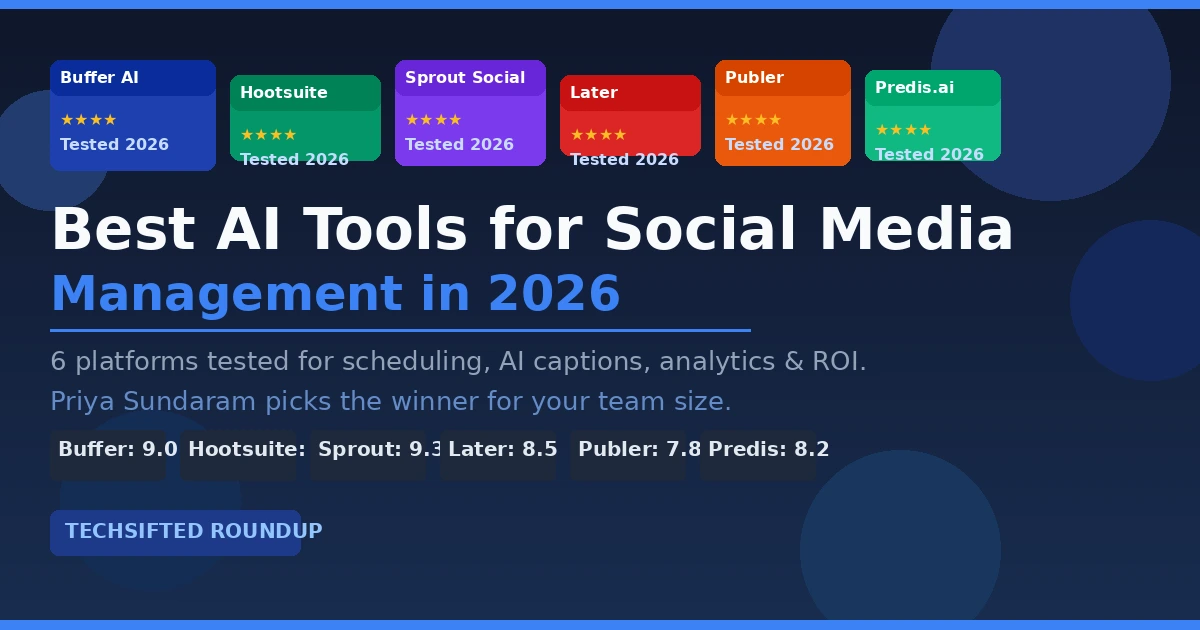
Quick Picks: Best Overall: Sprout Social | Best for SMB/Solo: Buffer | Best for Instagram: Later | Best AI Content Gen: Predis.ai | Best Budget: Publer | Best Organic + Paid Analytics: Metricool
Quick Comparison
| Tool | Best For | Starting Price | AI Features | Our Score |
|---|---|---|---|---|
| Sprout Social | Marketing teams, reporting | $79/mo (Essentials, per user, annual) | Trellis AI agent, sentiment, analytics AI | 9.3/10 |
| Buffer | SMB, solo creators | Free / $5/mo per channel (annual) | AI caption writer, best-time predictor | 9.0/10 |
| Hootsuite | Enterprise, multi-platform | $99/mo (Standard) | OwlyWriter AI, OwlyGPT images, bulk scheduling | 8.7/10 |
| Later | Instagram-heavy brands | $25/mo (Starter) | Caption AI, visual calendar, best-time analysis | 8.5/10 |
| Predis.ai | AI content creation | $19/mo (Core) | Full post generation, video from text, competitor analysis | 8.2/10 |
| Publer | Budget, small teams | Free / $5/mo per account | AI writer, brand voices, recycling, workspaces | 7.8/10 |
| Metricool | Organic + paid analytics | Free / $20/mo (Starter, annual) | AI assistant, scheduling, paid ad analytics, MCP | 8.0/10 |
1. Sprout Social — Best for Marketing Teams
Price: $79/month (Essentials, per user, annual) / $199/month (Standard) / $299/month (Professional) / $399/month (Advanced) | sproutsocial.com Best for: Marketing teams producing reporting for stakeholders, managing multiple brands, or needing approval workflows
Sprout Social is the strongest product in this category — and as of August 2026, there’s a meaningful new reason to consider it even if per-seat pricing previously scared you off.
The big news: Sprout added an Essentials tier at $79/seat/month (annual). That’s a new entry point that didn’t exist six months ago. It includes 5 social profiles, optimal send times, profile-level reporting, and access to Trellis — their new AI agent. More on Trellis in a second. For teams that wanted Sprout but found the old $199 Standard floor too steep, this changes the math.
The analytics gap between Sprout and everything else in this category is significant. Their reporting dashboard generates the kind of charts that actually belong in a slide deck — competitive benchmarking, audience growth trends, post performance breakdowns by format and time window. I ran a monthly report for a client in 12 minutes that would have taken me two hours pulling data manually from each platform. That’s not a hypothetical time savings.
Now. Trellis. Sprout announced their proprietary AI agent in May 2026 and pushed it to general availability in August 2026. I was skeptical — the AI agent narrative has produced a lot of hot air in SaaS lately. But Trellis isn’t just a chatbot bolted onto a dashboard. It integrates across Publishing, Listening, Smart Inbox, and Reporting. You can ask it questions in plain language and get answers rooted in actual social data — no manual report configuration required. It flags emerging narrative shifts before they become crises. It surfaces priority interactions in your inbox based on urgency, not just recency. Whether this changes day-to-day workflows for every team remains to be seen, but the architecture is ambitious and early customer results are worth following.
The older AI features are still doing quiet work in the background. Enhance by AI rewrites drafts with platform-appropriate tone. The optimal send time suggestion is based on your specific audience’s engagement history. The Smart Inbox uses sentiment analysis to flag urgent mentions and customer complaints from the noise. None of these are flashy. All of them save time.
The team collaboration features remain the best in the category. Approval workflows, message assignment, collision detection (so two agents don’t reply to the same mention), task tagging. For any team of 3+ people managing social accounts, the absence of this stuff in cheaper tools is a real daily frustration.
What still hurts: the mobile app. It’s noticeably worse than the desktop experience. If you’re managing accounts from your phone more than occasionally, Later or Buffer handle that better.
Verdict: Sprout Social is still the best product in this category for teams with real reporting requirements. The new Essentials tier at $79/seat makes it accessible to smaller teams that previously couldn’t justify the price. Trellis is the most interesting AI development in the category this year — worth evaluating if you want AI that actually integrates into operational workflows, not just a caption generator.
2. Buffer — Best for SMBs and Solo Creators
Price: Free (3 channels, 10 posts/channel) / $5/month per channel — Essentials (annual) / $10/month per channel — Team (annual) | buffer.com Best for: Solo creators, freelancers, small businesses managing up to 6-8 social channels
Buffer is what happens when a software team makes deliberate product decisions instead of trying to match every competitor feature by feature.
The interface is genuinely pleasant. Clean. Everything where you expect it. The compose window is fast, the scheduling queue is intuitive, and the AI Assistant integrates into the compose flow rather than feeling like a separate module that got bolted on.
I tested the AI caption writer across 40+ posts over three weeks. The quality is genuinely above average. Buffer’s AI seems to understand that different platforms need different registers — the LinkedIn captions it generates lean more formal and insight-forward, the Instagram captions add hooks and calls to action, the Twitter/X outputs are tighter. I didn’t have to rewrite most of them from scratch. Trim, tweak, maybe adjust the CTA. That’s a different outcome than what I got from Hootsuite’s OwlyWriter, which produced more generic text that needed heavier editing.
The free plan is the most honest in the category. Three channels, 10 scheduled posts per channel — that’s actually usable for a solo creator or a business just starting out. No credit card required, no annoying feature gates on the scheduling core. And as of this year: the AI Assistant is now available on the free plan with unlimited generations. That’s meaningful. You get the full caption writer and content idea generator without paying anything.
Buffer runs $5/channel/month (Essentials, annual) for unlimited posts and advanced analytics. The Team plan at $10/channel/month adds approval workflows and multi-user access — worth considering if two or more people are posting from the same accounts. At six channels on the Essentials tier, that’s $30/month. Considerably cheaper than Hootsuite or Sprout at any tier. The per-channel pricing makes sense for users who need exactly 2-3 channels, less so once you’re managing larger portfolios. But the value holds up well at modest scale.
What Buffer doesn’t do well: analytics. The reporting is minimal — post performance, engagement rates, follower growth. For simple monitoring, fine. For stakeholder reporting or competitive analysis, not enough. If analytics matter to your business, you’re either supplementing Buffer with a separate analytics tool or you’re looking at Sprout.
Verdict: The best-value social media management tool for most small teams and individual creators. If you want clean UX, honest pricing, and an AI assistant that actually works, start here. Pair it with the best AI SEO tools if organic content is part of your broader strategy.
3. Hootsuite — Best for Enterprise Coverage
Price: $99/month (Standard, 1 user) / $199/month (Professional) / $399/month (Advanced) | hootsuite.com Best for: Enterprises needing multi-platform coverage, bulk scheduling, and established integrations
Hootsuite is the oldest name in this space, and it shows — both in the breadth of its integrations and in some of the interface decisions that clearly haven’t been redesigned since 2018.
One housekeeping note: Hootsuite rebranded their plan names in 2026. What was “Professional” at $99/month is now “Standard.” The Professional plan now refers to the $199/month tier. Pricing at the entry level stayed the same — the naming just shifted up.
Platform coverage is Hootsuite’s strongest card. It supports Instagram, Facebook, X/Twitter, LinkedIn, TikTok, Pinterest, YouTube, and a handful of others. If your content operation spans multiple platforms and you need one scheduling queue to rule them all, Hootsuite’s breadth is hard to match.
OwlyWriter AI has improved. A year ago it was producing generic, clearly AI-generated text that needed heavy editing. The current version produces more usable first drafts, particularly for evergreen content types. Still not as good as Buffer’s AI for platform-aware caption writing, but competent for getting a first draft on the page fast. Hootsuite also added OwlyGPT — an AI image generator built directly into the platform. If you need quick social graphics without toggling to Canva, it’s a usable shortcut, though the output quality won’t replace purpose-built image tools.
The bulk scheduling feature is genuinely differentiated for high-volume content operations. Upload a CSV with 30-50 posts, assign platforms, review, schedule. For content teams batch-publishing evergreen content, this saves meaningful hours.
My main frustration with Hootsuite is the gap between what they charge and what the interface feels like. At $99/month for the base Standard plan, you’re paying enterprise prices for software that doesn’t feel like a premium product.
Verdict: If you’re already on Hootsuite and have workflows built around it, staying probably makes sense — switching costs are real. For new buyers, the value case is harder to make. Sprout Social is a better product at the same price tier; Buffer is a better value at lower volume. Hootsuite wins on platform breadth, which still matters for some operations.
4. Later — Best for Instagram-First Brands
Price: $25/month (Starter) / $50/month (Growth) / $110/month (Scale) — or $18.75/$37.50/$82.50 on annual billing | later.com Best for: Instagram-forward brands, visual content creators, e-commerce businesses
Later built their product around the visual feed planner, and it’s still the best in the industry for Instagram-centric workflows.
The drag-and-drop visual calendar shows your Instagram grid in real time as you schedule posts. You can see exactly how a new post will sit next to your existing content before you publish. For brands that care deeply about aesthetic consistency — and many do — this is a genuinely useful tool that the other schedulers haven’t replicated well.
The AI caption writer is solid. Not quite Buffer-level, but good. One thing to know: Later’s AI features now run on a credit system — Starter gets 5 AI credits/month, Growth gets 50, Scale gets 100. That’s enough for casual use but might frustrate heavy AI caption users on the Starter plan. The Linkin.bio feature (a customizable link-in-bio page) is included and well-executed, which removes the need for a separate Linktree subscription for most creators.
A few changes to note from our spring review: Later’s free plan has been quietly de-emphasized — they now direct new users to a 14-day trial of the paid Starter plan rather than keeping the free tier front and center. The free plan technically exists but is getting harder to find. Growth tier also increased from $45 to $50/month. Still reasonable, but worth knowing.
Also added: a Scale tier at $110/month for teams needing unlimited publishing and advanced analytics. The structure is now more clearly tiered for different scales.
Where Later falls short: beyond Instagram, it’s significantly weaker. The LinkedIn experience is mediocre. TikTok scheduling works but the analytics are thin. If you’re managing more than two or three platforms and Instagram isn’t the clear primary, Later isn’t the right home base.
Verdict: The tool of choice for Instagram-first brands, visual creators, and e-commerce companies that think in grids. For multi-platform operations or businesses where LinkedIn or TikTok are primary channels, look elsewhere. Pairs well with AI image generators built for social media if visual content is your focus.
5. Predis.ai — Best for AI-First Content Generation
Price: $19/month (Core) / $40/month (Rise, up to 4 brands) | predis.ai Best for: Content creators who want AI to generate full posts from minimal input; teams needing fast video caption generation
Predis.ai is the most AI-forward tool on this list — and they just made the decision a lot easier.
The pricing dropped. Core went from $32 to $19/month. Rise dropped from $79 to $40/month. That’s a meaningful cut across both tiers. In the spring update I said the $32 entry point was “slightly higher than I’d like.” At $19, that objection is gone.
The core product: give it a URL, a product description, or a topic, and Predis generates a complete social media post — image, caption, hashtags — ready to schedule. The quality is variable, but at its best it’s impressively usable. I fed it a product page URL for a mid-range outdoor gear brand and got five Instagram post variants in about 90 seconds. Two of the five I would have scheduled with minor edits.
The video post generation is a genuine differentiator. Predis creates short-form video posts (15-30 seconds, text-on-screen format common on Reels and TikTok) from a written brief. The output is basic — think template-driven rather than cinematic — but for brands producing a high volume of informational content, it removes a real production bottleneck. And they’ve added text-to-video generation from written prompts this year, which extends the capability beyond repurposing to original video creation.
The competitor analysis feature is also worth calling out. You can pull a competitor’s top-performing posts and use them as creative inspiration (not copy — as inspiration). For e-commerce brands who need to keep tabs on what’s resonating in their space, this adds real intelligence that the scheduling-first tools don’t offer.
The scheduling interface is functional but less polished than Buffer or Later. The analytics are basic. The brand voice calibration is still inconsistent — sometimes the outputs feel right for the brand, sometimes they feel generic.
Verdict: At $19/month, this is an easy recommendation for small brands and creators who want AI to do more of the content creation heavy lifting, not just caption suggestions. The scheduling and analytics won’t replace Sprout or Buffer for serious operations, but for pure content generation speed — especially if you’re producing visual content at volume — nothing else on this list compares. Check it alongside the best AI writing tools for email marketing if multi-channel content production is your challenge.
6. Publer — Best Budget Option
Price: Free (up to 3 accounts, 5 scheduled posts) / from $5/month per account (Professional) / from $8/month per account (Business) | publer.com Best for: Budget-conscious small businesses, teams wanting workspaces for client management
Publer is the least-known tool on this list and the one most people don’t consider — which is a mistake at its price point.
The pricing structure changed in 2026, moving from flat plan rates to per-account pricing. Professional is now roughly $5/month per social account (billed annually), with Business at around $8/month per account. The old flat rate of $12/month for Professional covered a few accounts; the new structure can look cheaper or more expensive depending on how many accounts you’re managing. Three accounts at Professional runs about $15/month total — cheaper than before. Eight accounts gets more expensive. Do the math for your situation before assuming it’s the budget option.
What remains excellent: the feature density at the low end of the market. At the Business tier, Publer includes multi-platform scheduling, an AI writer, post recycling (automatically re-publish evergreen content on a schedule), link in bio, UTM tracking, and workspace separation for managing multiple clients or brands. The recycling feature is legitimately underrated — you build a library of evergreen content, set a recycle schedule, and Publer automatically re-queues posts at intervals you define.
The AI writer has gotten more useful with Brand Voices — you can now create a distinct AI “personality” for each client or brand you manage, and Publer generates captions that actually sound like that brand rather than generic AI output. For agencies managing multiple clients with different voices, this is a real improvement. There’s also a bring-your-own-OpenAI-key option new in 2026: connect your own ChatGPT subscription and get unlimited AI generations inside Publer at no extra per-generation cost. If you’re already paying for ChatGPT, that’s a nice efficiency.
The interface is fine. The workspace model works well for freelancers managing multiple clients.
Note: Publer moved their primary domain to publer.com (publer.io still redirects cleanly, but update any bookmarks).
What Publer lacks: analytics depth and the polish of the more established tools. Customer support is slower than Sprout or Buffer.
Verdict: Still the best option if budget is the primary constraint and you’re managing a moderate number of accounts. The Brand Voices AI update is a genuine improvement for agencies. Just model out the per-account pricing against your actual account count before committing. The recycling feature alone makes it worth a trial if you have a library of evergreen content.
7. Metricool — Best for Organic + Paid Analytics in One Place
Price: Free (1 brand, 20 posts/month) / $20/month (Starter, annual) / $43/month (Advanced, annual) | metricool.com Best for: Brands and agencies running both organic social and paid advertising, who want unified analytics without multiple tools
Metricool doesn’t get talked about enough in these comparisons. Over 3.5 million brands and professionals use it — that’s not a tool flying under the radar anymore. And in 2026, it’s earned a spot on this list.
Here’s what makes Metricool different from everything else here: it combines organic social scheduling and paid ad analytics (Google Ads, Facebook Ads, TikTok Ads) in a single dashboard. If you’re running ads alongside your organic content — which most businesses are — you currently live with two separate tools and two separate reporting views. Metricool collapses that. You schedule posts and see your paid campaign performance in the same interface.
The free plan is genuinely useful. One brand, 20 posts per month, 5 competitor profiles, 30 days of analytics history, AI assistant for caption generation, and — interesting 2026 addition — the Metricool MCP server. That last item means you can embed Metricool’s social data into AI agent workflows using the Model Context Protocol. Niche today, but the direction this industry is heading.
The AI assistant on the free plan handles caption writing and post ideas, though it’s not as refined as Buffer’s. The visual calendar is clean. Competitor analysis is included even on the free tier (5 profiles), which is unusual at this price point.
At $20/month (Starter, annual), you get unlimited publishing, up to 10 brands, LinkedIn connection, and PDF reports. The Advanced tier at $43/month adds team management, role permissions, post approval workflows, and full API access — useful for agencies.
Where it’s weaker: the scheduling interface isn’t as polished as Buffer or Later. The AI caption writer is functional but not the main reason to use it. Mobile app is basic.
Verdict: Not a replacement for Buffer or Sprout if pure scheduling or team reporting is your focus. But if you’re managing a brand that runs organic and paid social together, Metricool is the most efficient tool in the category for that specific workflow. The free plan is genuinely worth trying — 20 posts/month and competitor analysis at no cost is a real offer.
How to Choose
The right tool depends almost entirely on two things: your team size and which platforms you’re managing.
Solo creator / freelancer: Start with Buffer’s free plan. If you outgrow it, upgrade to $5/channel (Essentials) or evaluate Later if Instagram is your primary platform. Predis.ai at $19/month is worth a look if you want AI to do the heavy creative lifting.
Small business (1-3 people): Buffer at the paid tier for most cases. Predis.ai if you need AI to generate content fast rather than just assist. Metricool if you’re running paid ads alongside organic — the unified analytics view alone is worth the $20/month.
Agency managing multiple clients: Publer’s workspaces and Brand Voices are purpose-built for this use case — just run the per-account math before committing. Metricool Advanced ($43/month) if client reporting needs to include paid campaign data. Sprout Social if you have the budget and need client-grade social reporting.
Marketing team (3+ people): Sprout Social. The Essentials tier at $79/seat is a new entry point worth considering. The collaboration features, Trellis AI agent, and analytics justify the price at this scale. Note the per-seat pricing carefully before budgeting.
Enterprise: Hootsuite if you have existing integrations and workflows built around it. Sprout Social if you’re making a fresh evaluation.
The good news: most of these tools offer free trials or free tiers. Test your top two on real accounts before committing. The interface you’ll actually use every day matters as much as the feature list.
For complementary tools, see our roundups of the best AI SEO tools, best AI CRM tools, best AI image generators for social media, and best AI writing tools for email marketing — pairing a scheduling tool with a dedicated content creation workflow is where the real efficiency gains are.